Test management for Jira Cloud
Plan, write, run and report on tests without leaving Jira. Everything a QA team expects from a serious tool, simple enough to learn in an afternoon, and your data never leaves Atlassian.
Runs on AtlassianNo data leaves your Jira siteLight and dark mode
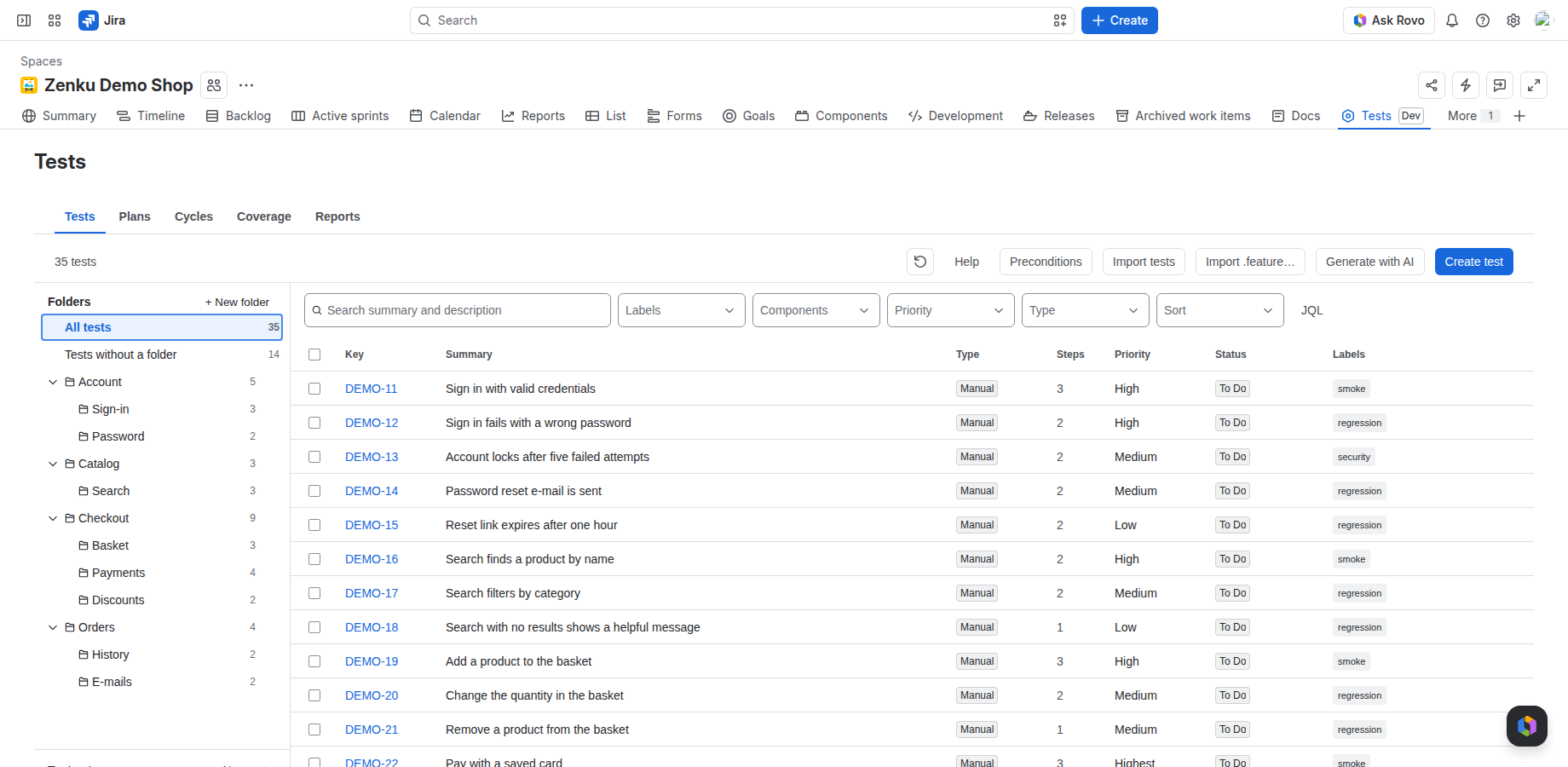
Tests are Jira issues with steps, folders, reusable preconditions, test sets, parameterised datasets and versions. Cycles and plans group runs by release and environment.
Folder trees, cursor paging and background jobs keep screens quick with 10,000+ tests. Big imports and CI reports run in the background with visible progress.
No external servers and no data egress. Data residency follows your Jira site, with a full audit trail of who changed what.
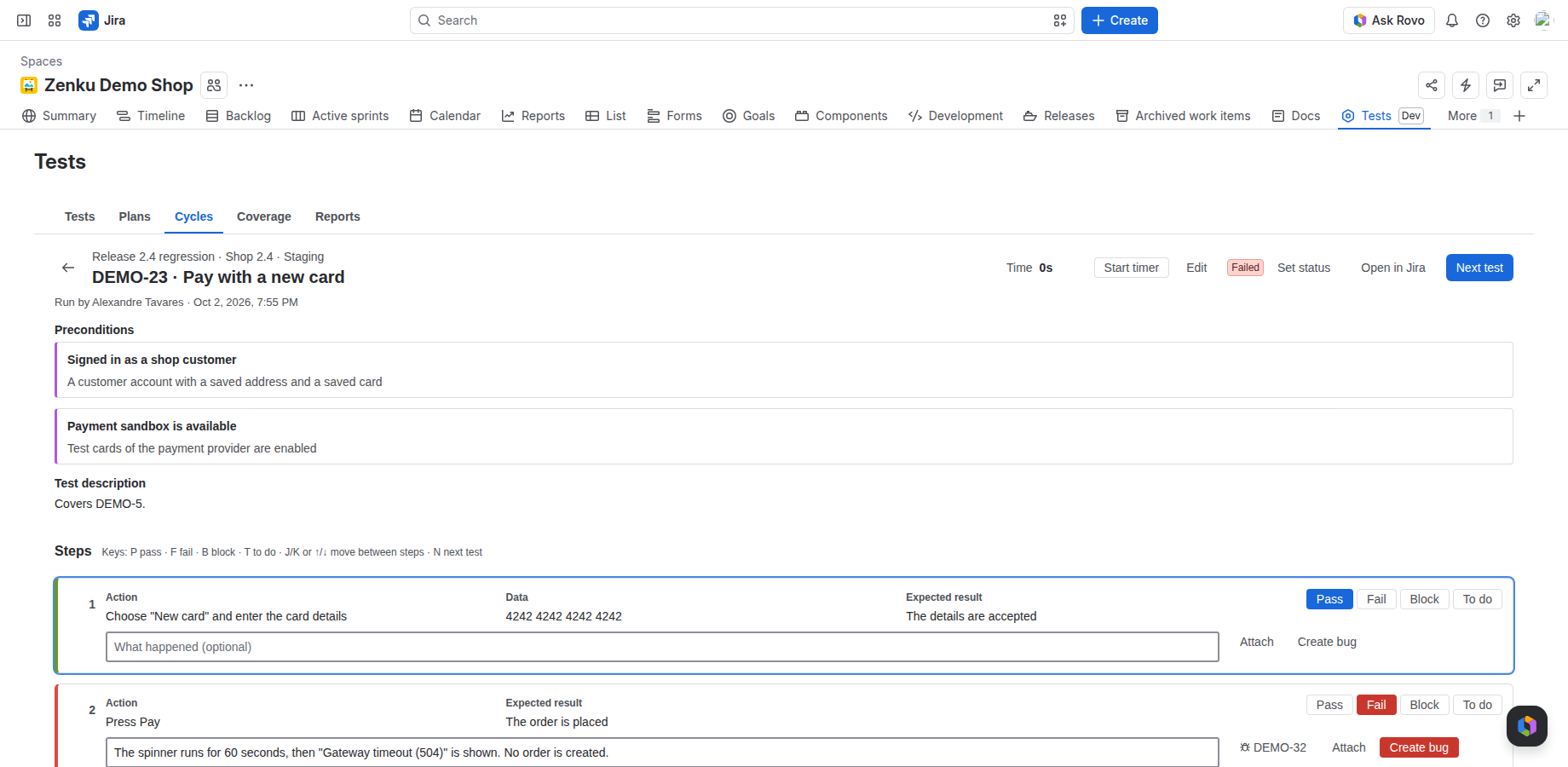
Cycles and plans, step-by-step results, custom statuses, environments, assignees, a timer and evidence. Create or link a bug from a failed step.
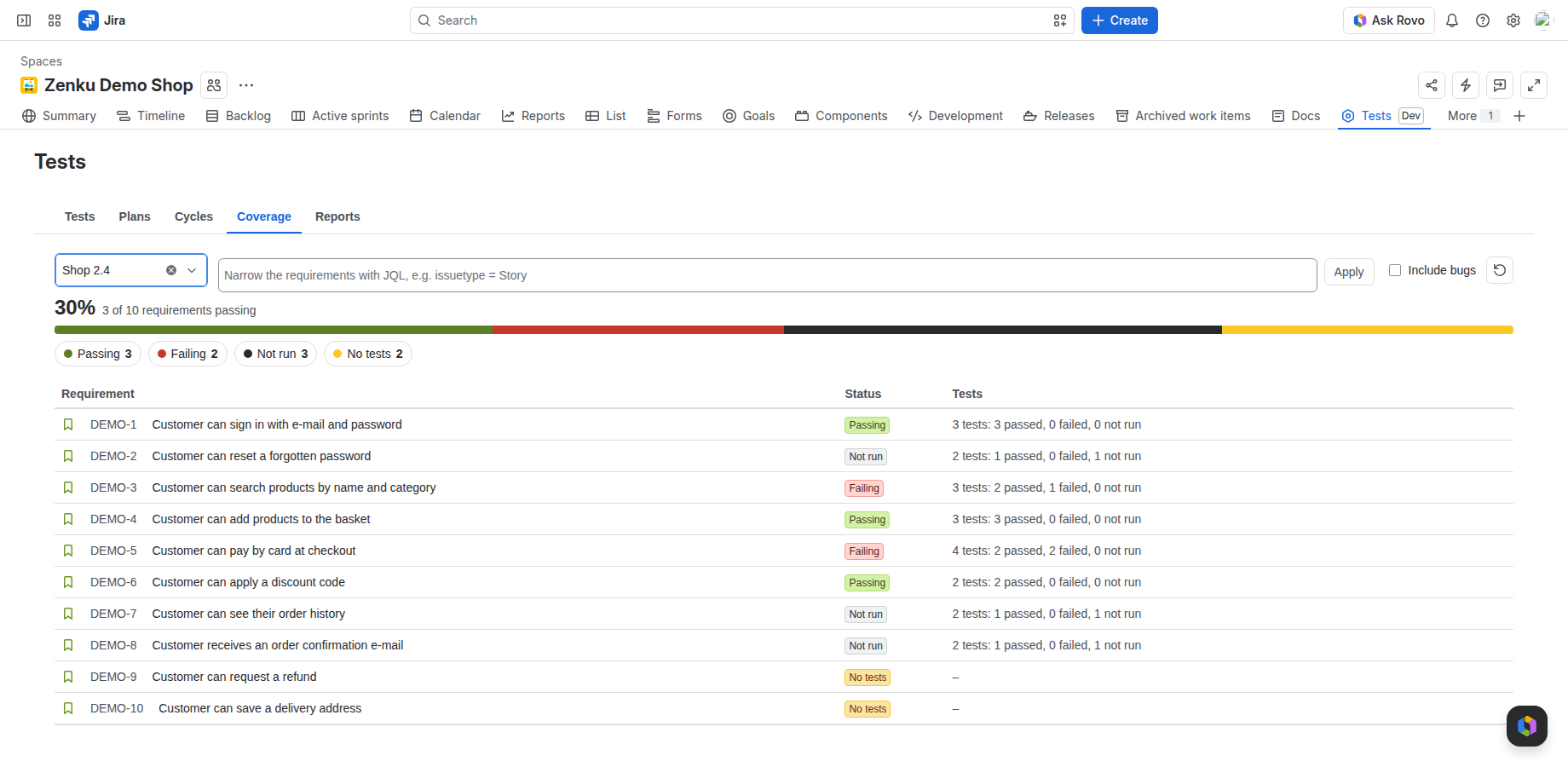
Link tests to requirements and see coverage on the issue. Bugs are excluded from coverage by default. Export the traceability report to CSV or PDF.
Upload JUnit, TestNG, NUnit, xUnit, Robot Framework, Cucumber and Xray JSON with revocable tokens. Examples for GitHub Actions, GitLab CI and Jenkins.
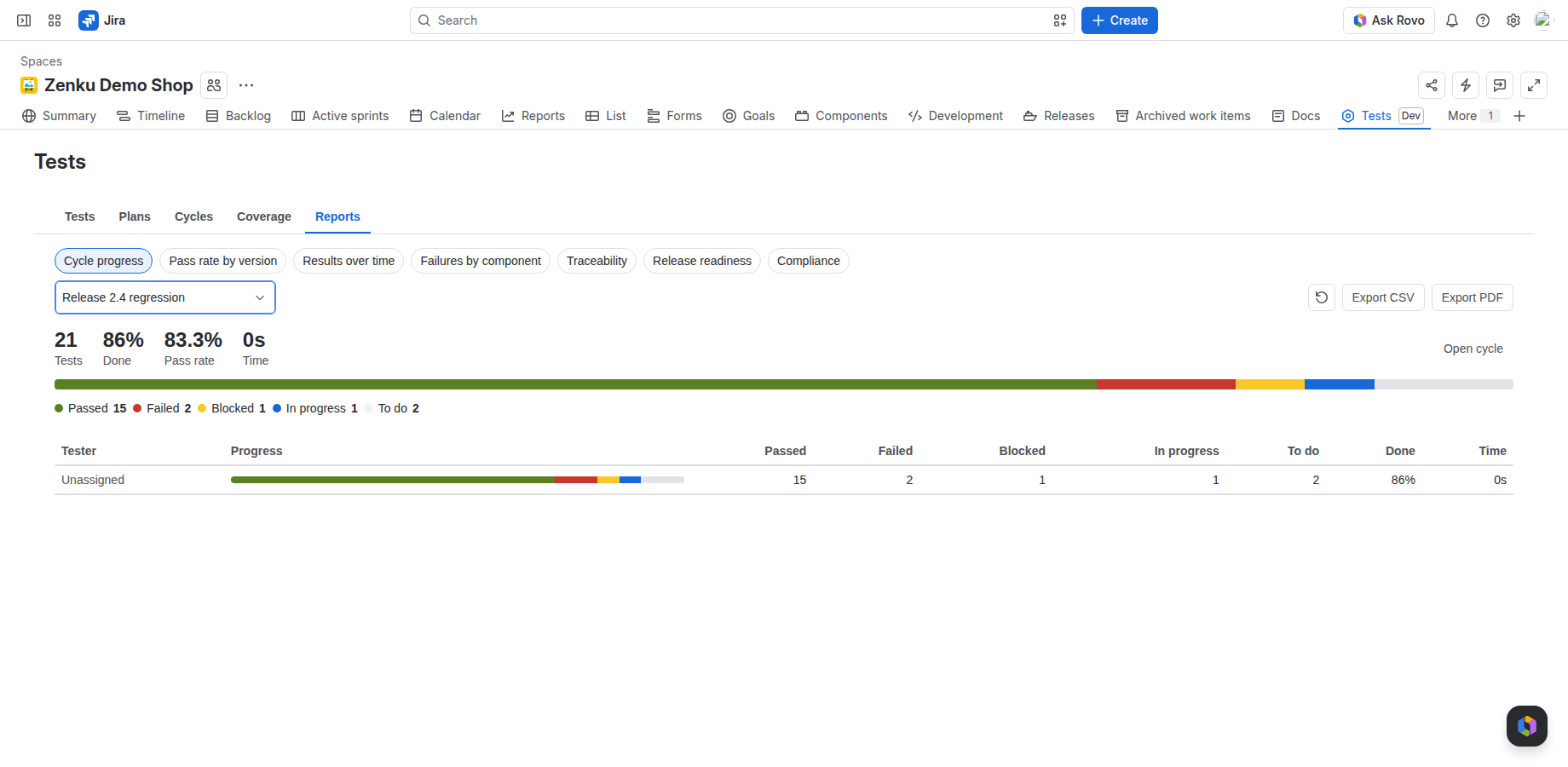
Cycle progress, breakdowns by tester and environment, history, a dashboard gadget, and PDF or Word exports.
Scenarios as tests in five languages, with .feature import and export and Cucumber results per step.
Every test gets a 0–100 risk score with its reasons, so you run the riskiest first.
Draft test cases, order tests by risk and summarise cycle results using Atlassian-hosted models. Admins can lower or switch it off.
Sector profiles, electronic signatures, second-person approval, a release readiness gate and an evidence pack with SHA-256 checksums.
A live test report macro and “Publish to Confluence” for a page with the report of that moment.
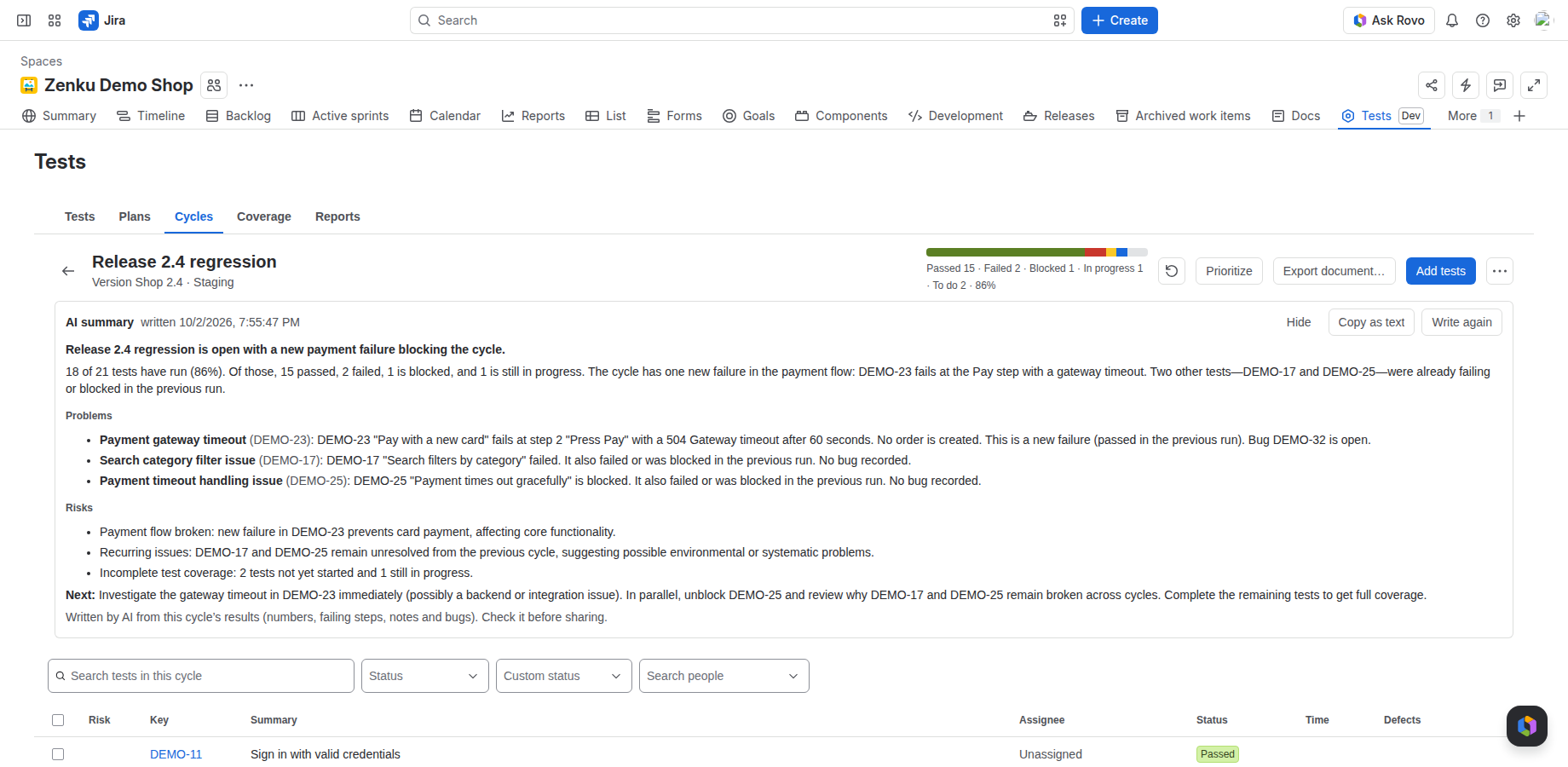
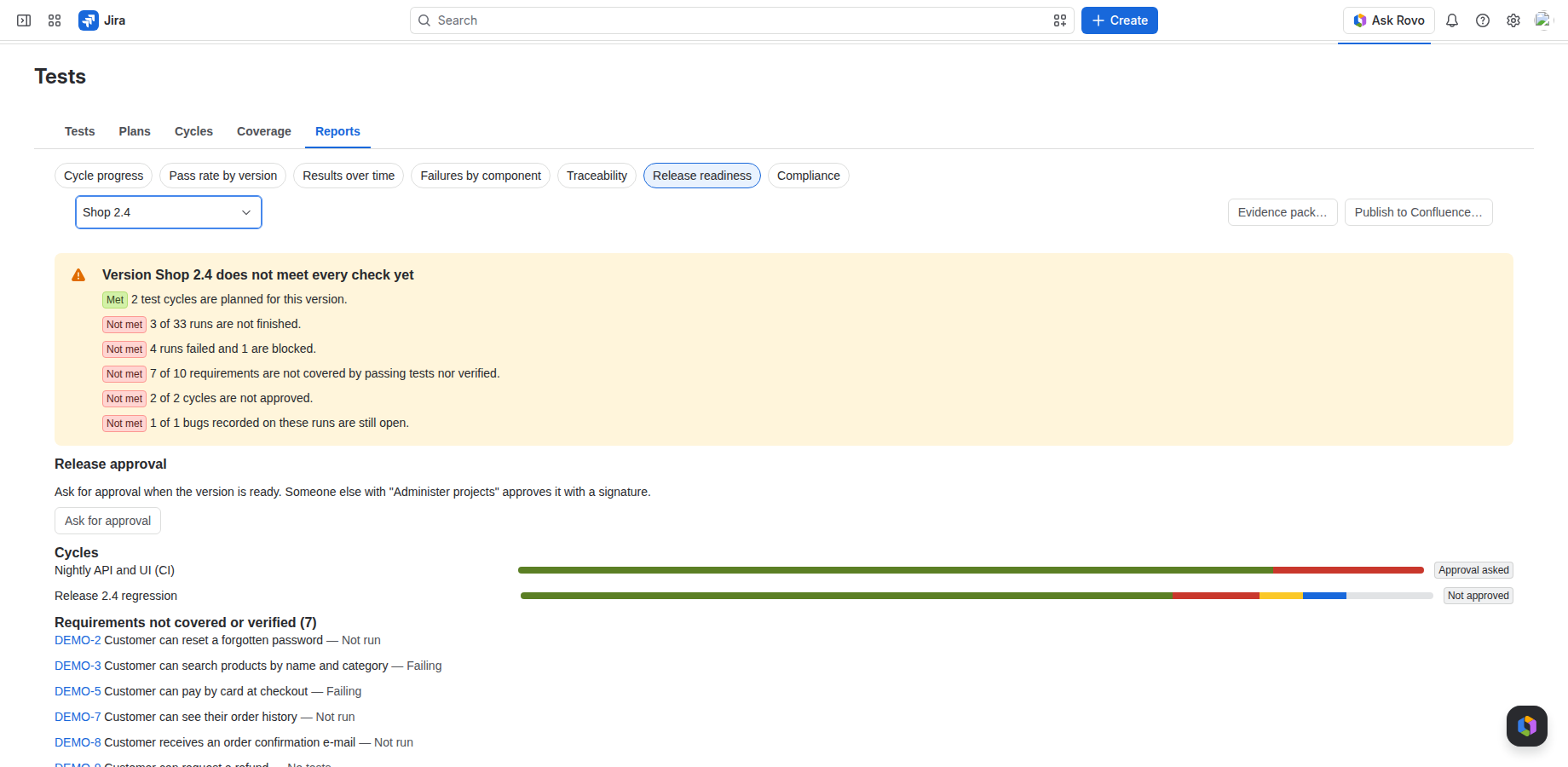
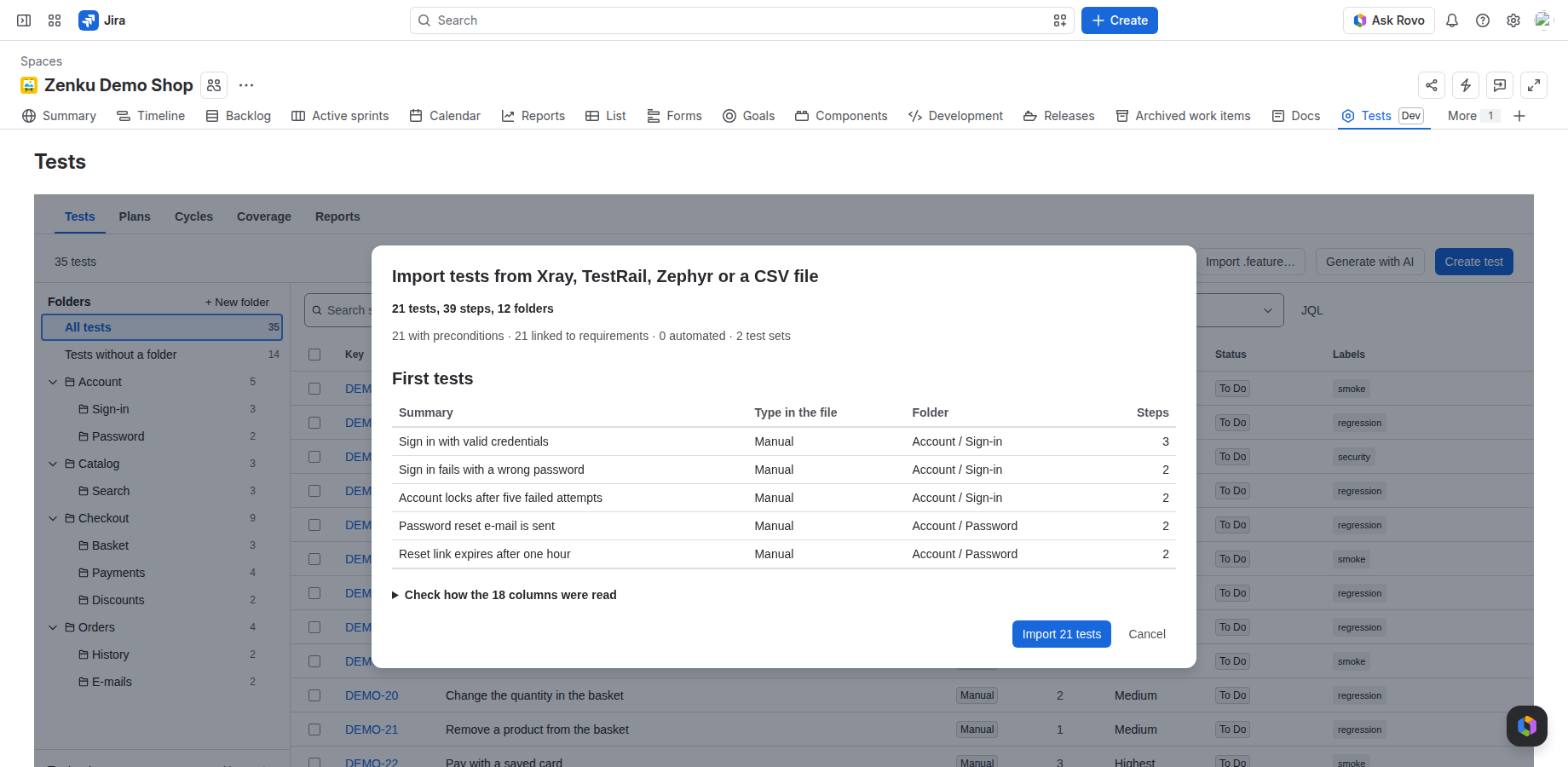
A 97-second tour: write a test, run it, raise a bug, see coverage and import from another tool.
Watch on YouTube
Billed by Atlassian per Jira user per month, in USD. Every app on the Marketplace starts with a 30-day free trial. The price per user goes down as your site grows.
| Jira users | Price per user per month | Example |
|---|---|---|
| Up to 10 | 6.00 USD flat | 10 users: 6.00 USD |
| 11–100 | 0.60 USD | 50 users: 30.00 USD |
| 101–1,000 | 0.50 USD | 500 users: 260.00 USD |
| 1,001–5,000 | 0.30 USD | 2,000 users: 810.00 USD |
| 5,001 and above | 0.20 USD | 10,000 users: 2,710.00 USD |
Each tier is charged only for the users inside it. Annual billing is 10 times the monthly price (two months free). Includes everything on this page except the Advanced edition features (electronic signatures, second-person approval, release readiness gate and evidence pack), which will be offered as a separate edition. Questions about pricing: support@zenkulabs.com.
Import tests from a CSV export in one file, with steps, folders and preconditions. You see a preview before anything is created, and the import can resume if it is interrupted. Xray executions can be imported from a file too.
Zenku Test Management runs on Atlassian: no external servers and no calls outside the Atlassian cloud. Read the privacy policy and the security page.
Write to support@zenkulabs.com.
 ZENKULABS